Comply navigation has been updated to make it easier to manage your district’s compliance and request statuses. These changes centralize a user’s progress across all items, while still providing item-level management to supervisors and administrators.
If you are used to the previous layout, you may notice that All Users' Progress now serves as a broader shared entry point for both compliance and request items, while item-level management now happens from the navigation areas that match each workflow
Table of Contents
- At a Glance
- Navigation Changes - All Users
- Navigation Changes - Supervisors and Administrators
- Additional Navigation Updates
At a Glance
For All Users, this update has made the following changes:
My Compliance Items is now My Items (for both requests and compliance items)
My Requests and Available Requests have moved under My Items
on My Items, request submissions are now grouped by request items
For Supervisors/Admins, this update has made the following changes:
Log-in landing page is now My Items (instead of My Supervision Items)
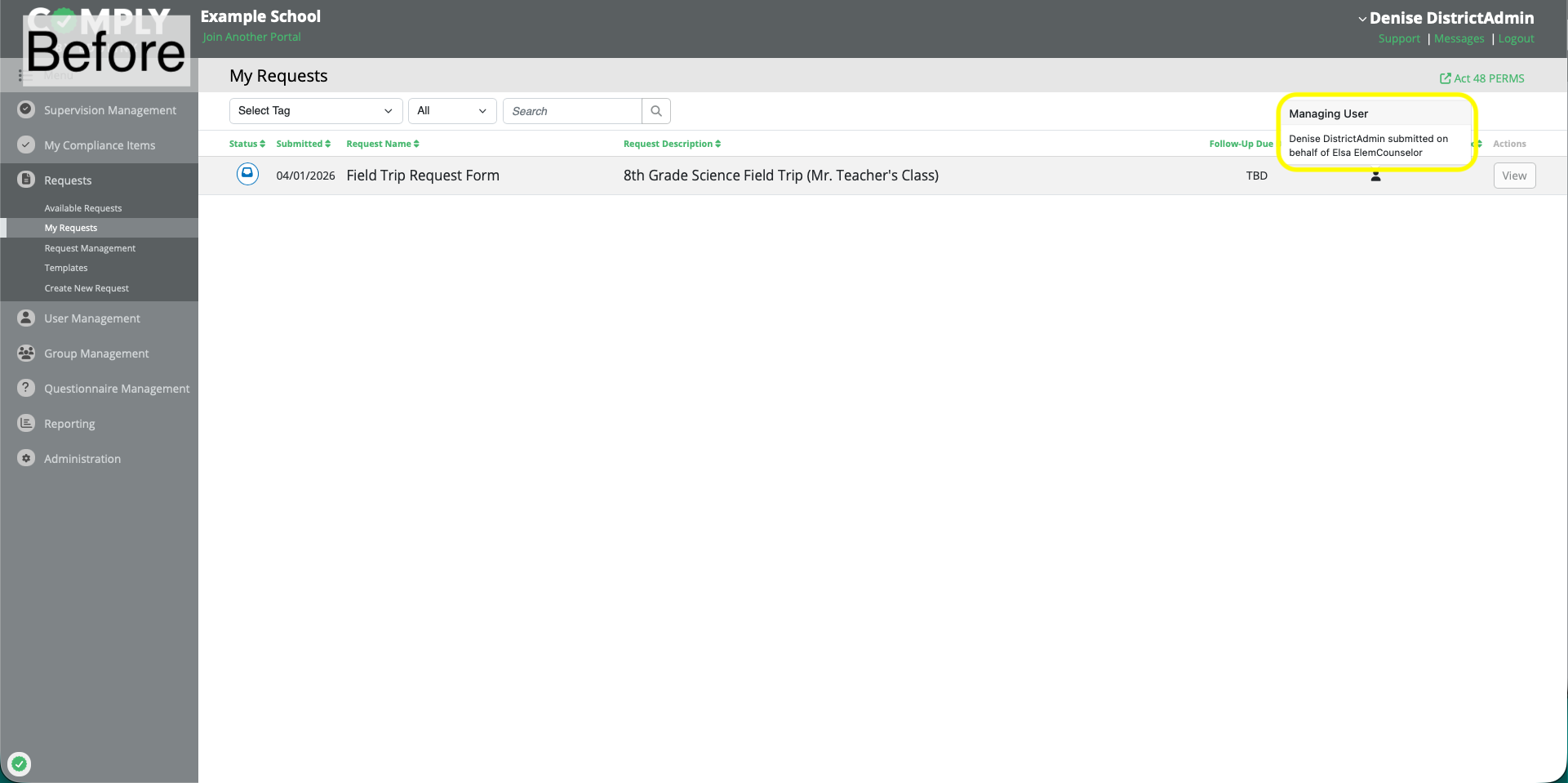
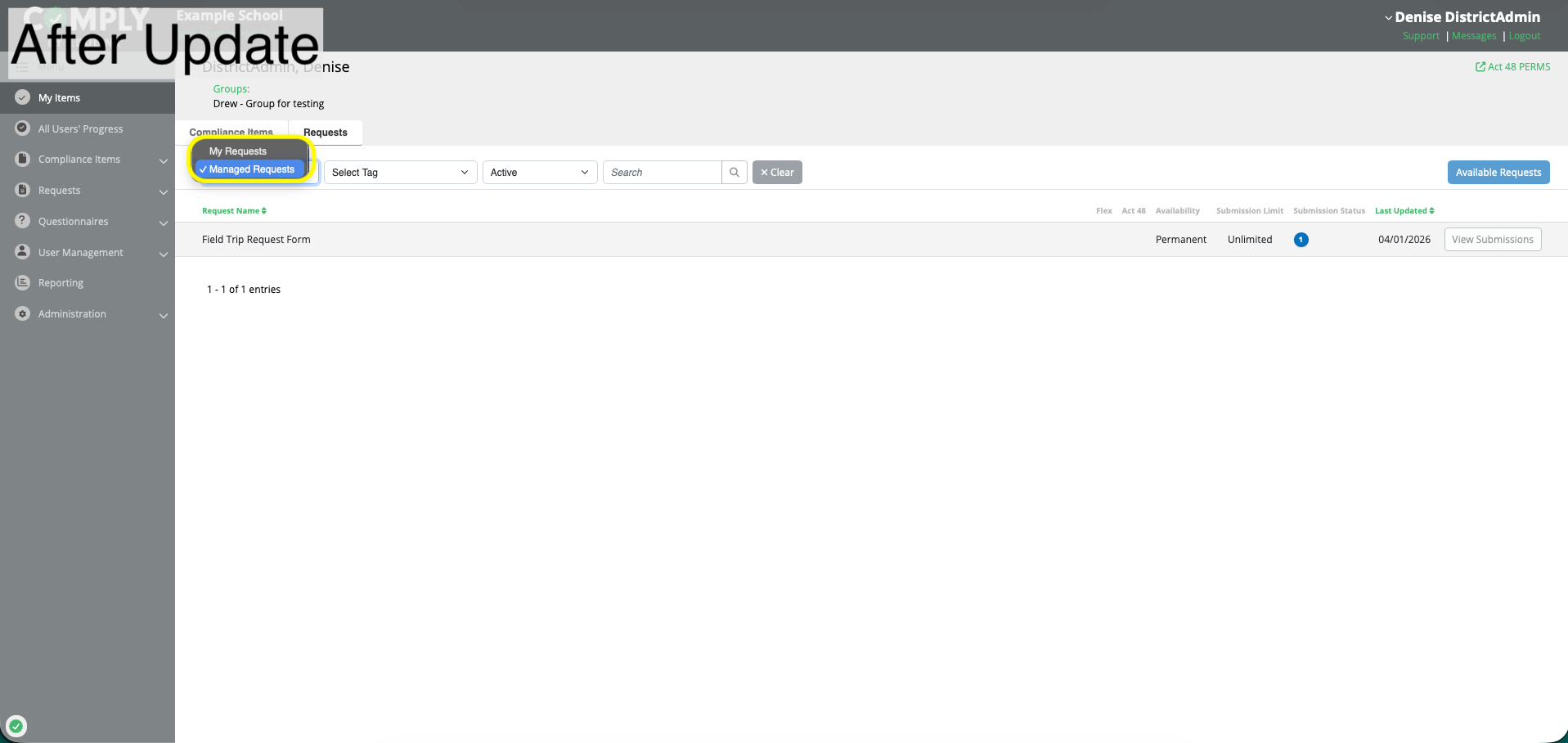
Managed requests (submitted on behalf of other users) are now separated from your personal requests on My Items, via filter
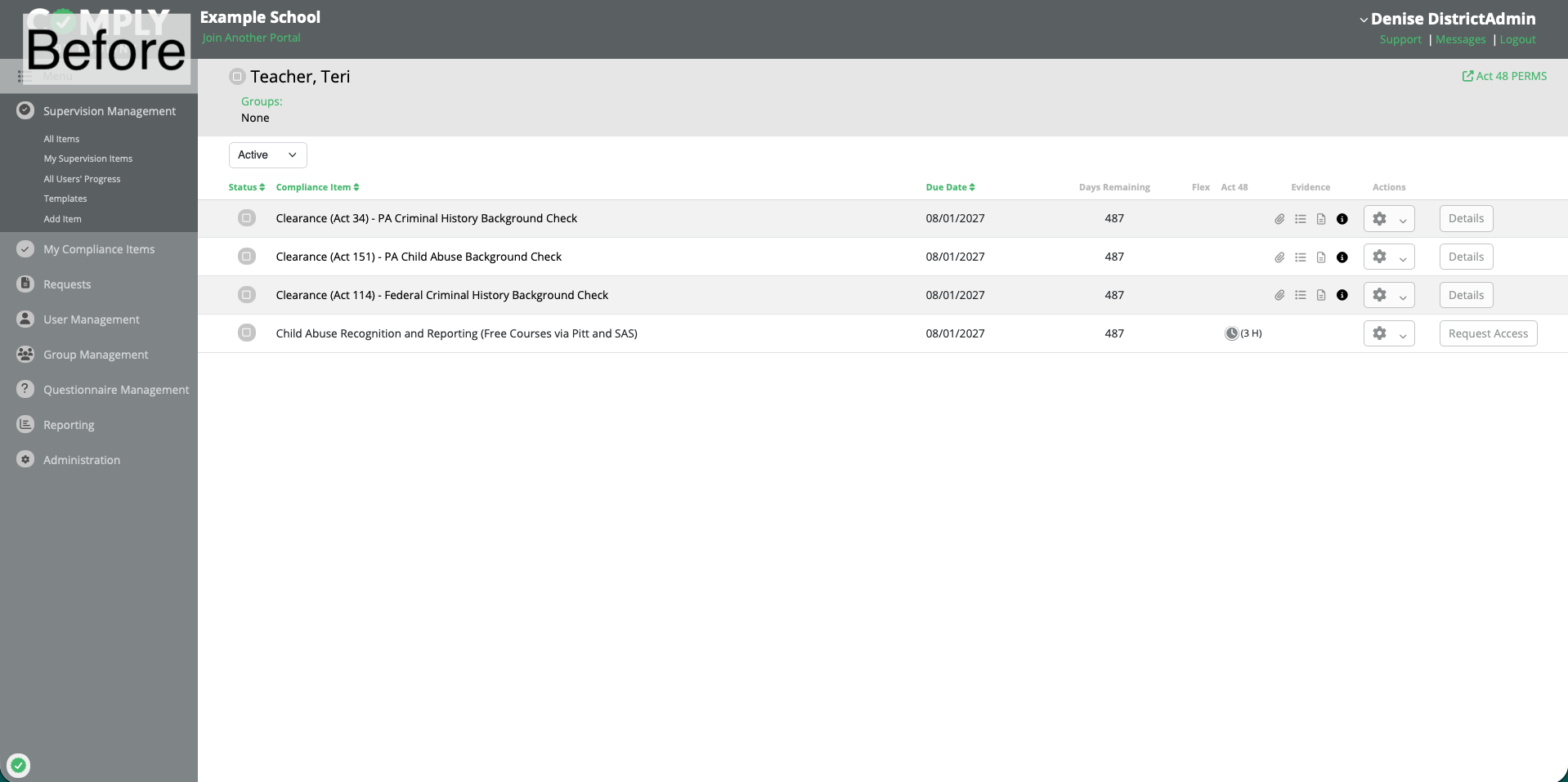
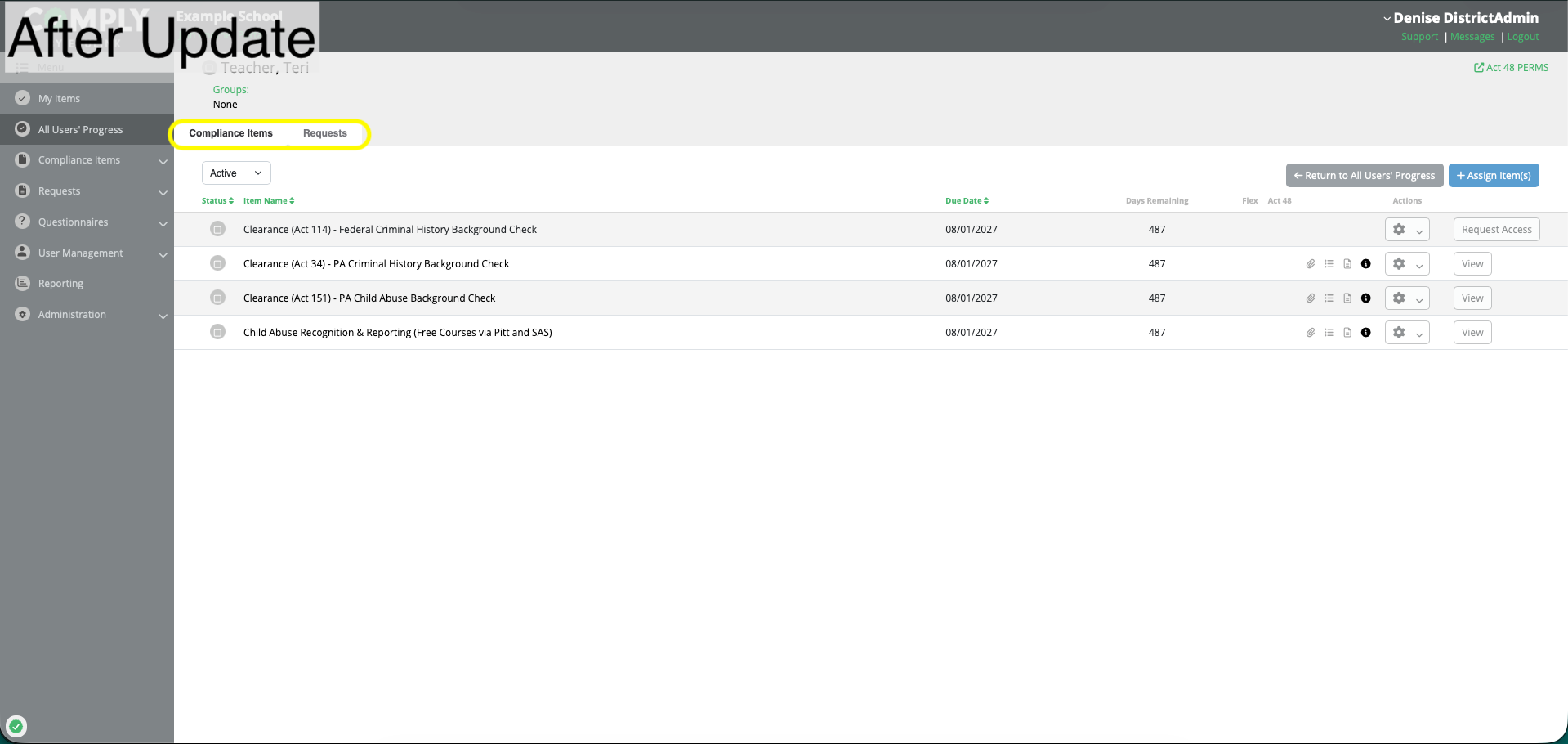
All Users' Progress now includes a tab for requests for each user
Bulk assignment (of compliance items) now lives under All Users' Progress > Compliance Items Tab for a given user
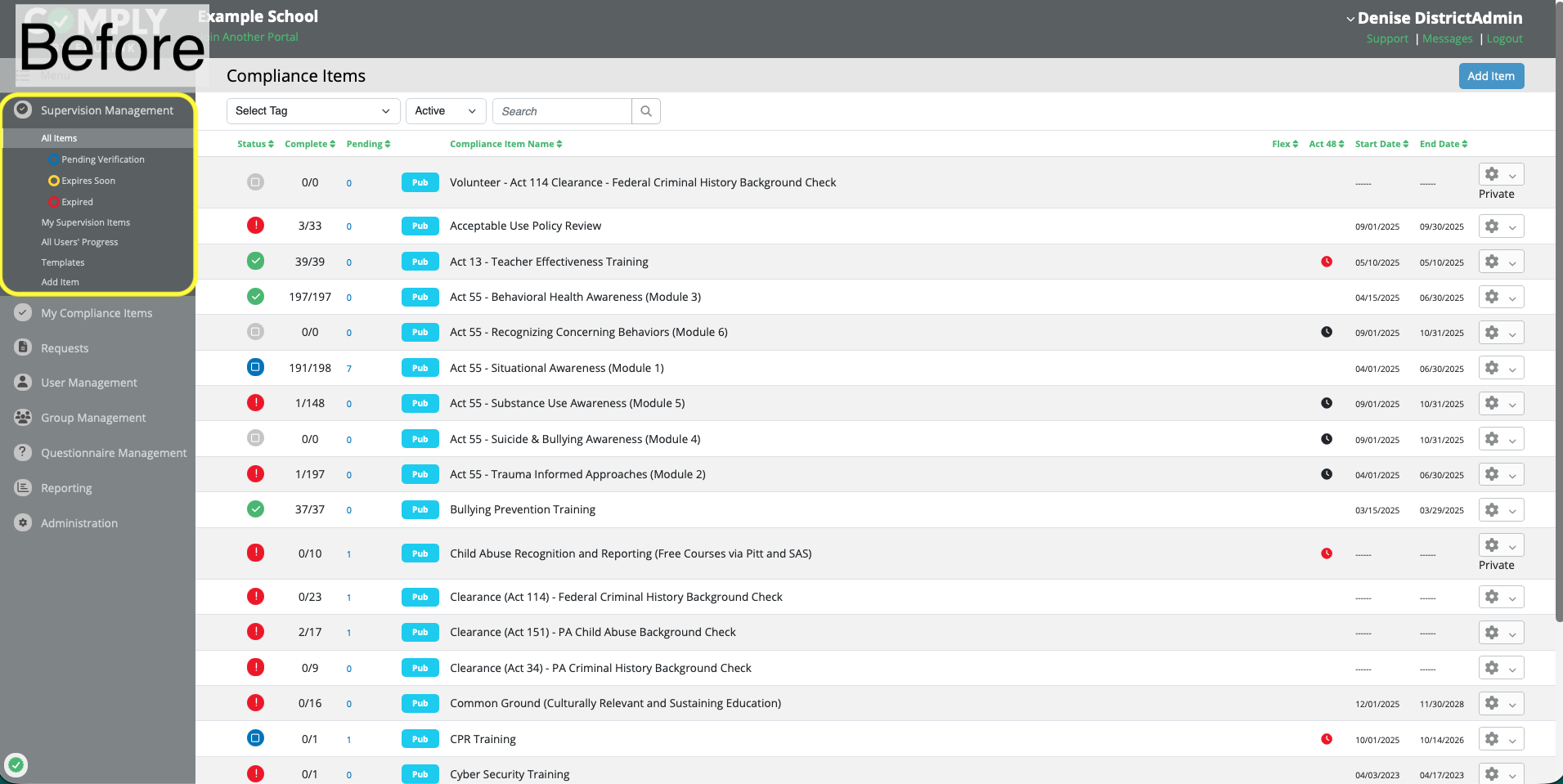
Supervision Management is now Compliance Items
Group Management is now found under part of User Management
Additional Enhancements:
- Request descriptions (user submitted descriptions of their request) are now displayed on the Request Item > View page
- Sign-In Sheets printed files now have darkened lines
Navigation Changes - All Users
The updated navigation creates a more centralized location for your work and items.
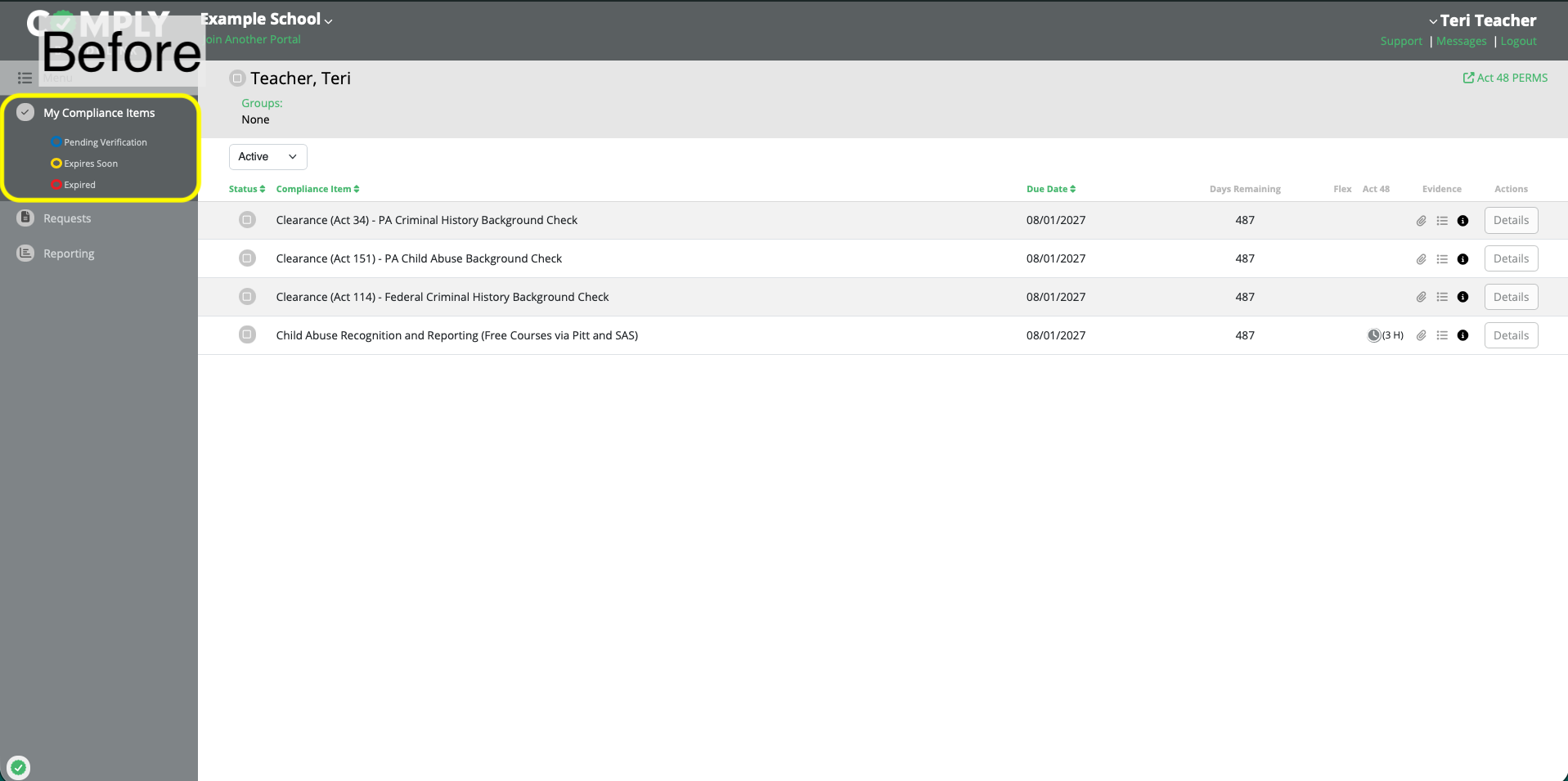
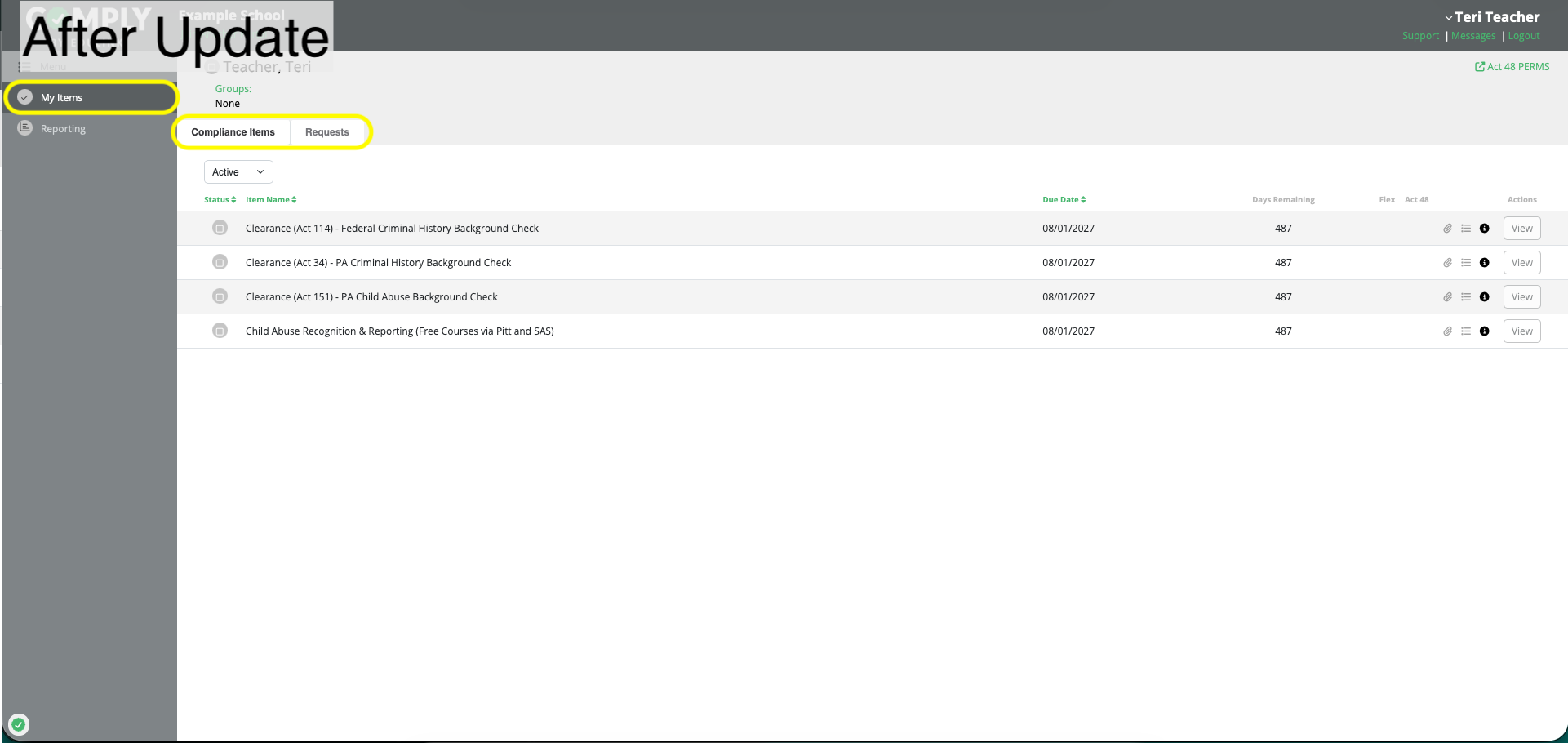
My Compliance Items Is Now My Items
My Compliance Items is now My Items. This page is now the central location for both your compliance items and your request items.
My Requests and Available Requests Have Moved Under My Items
Management of your request submissions is now located under My Items.
The list of available requests is also now opened using the Available Requests button.
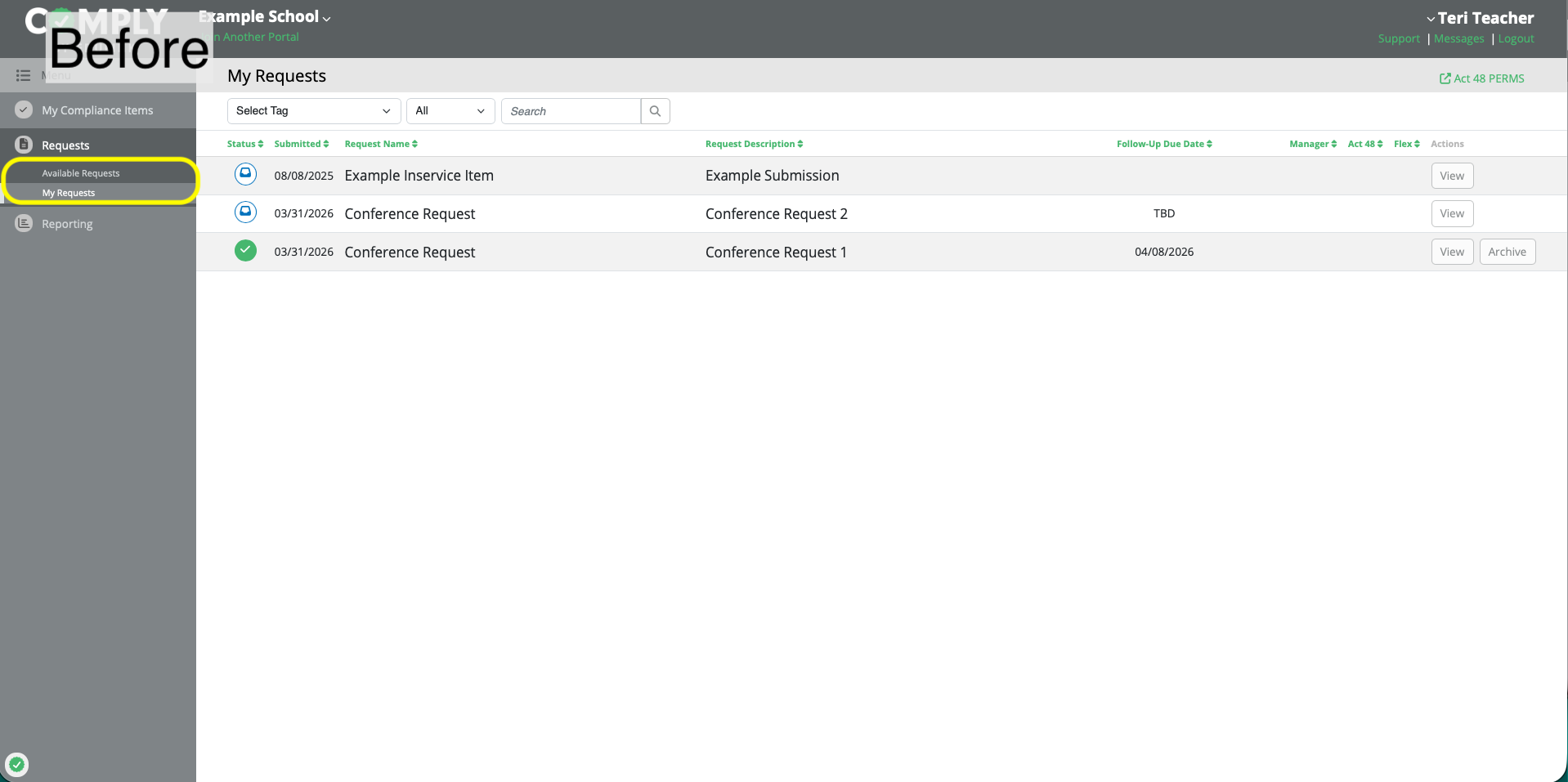
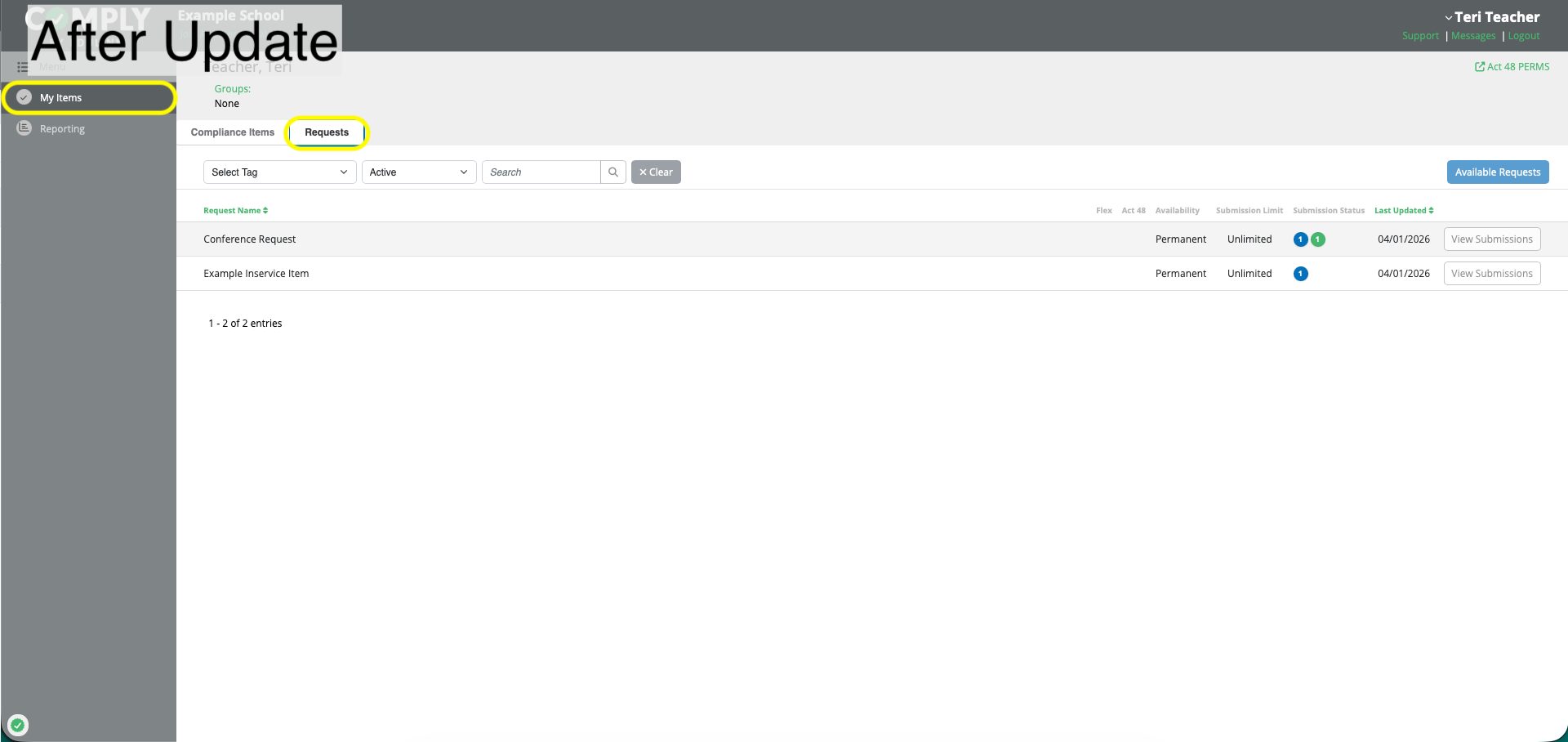
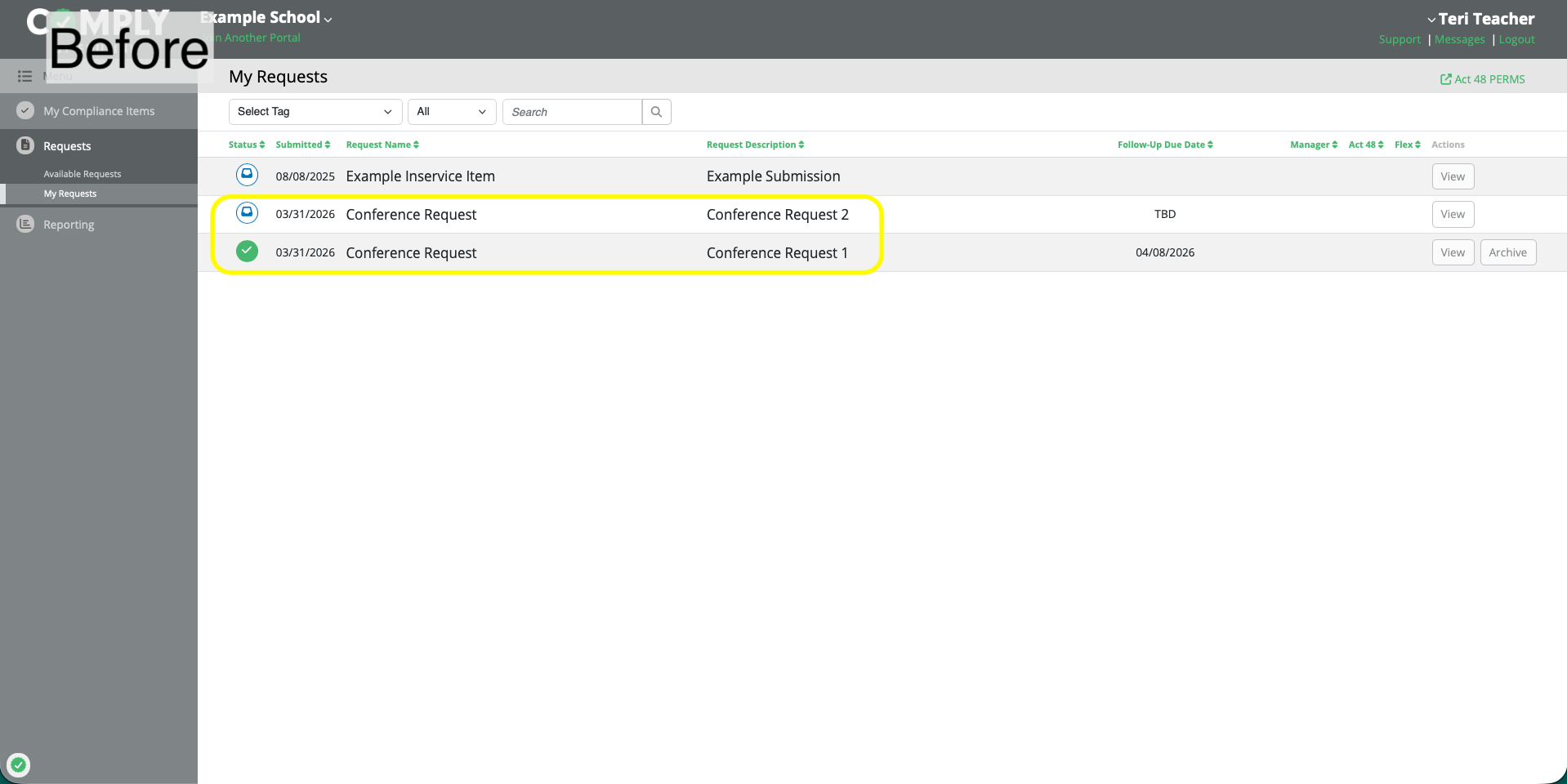
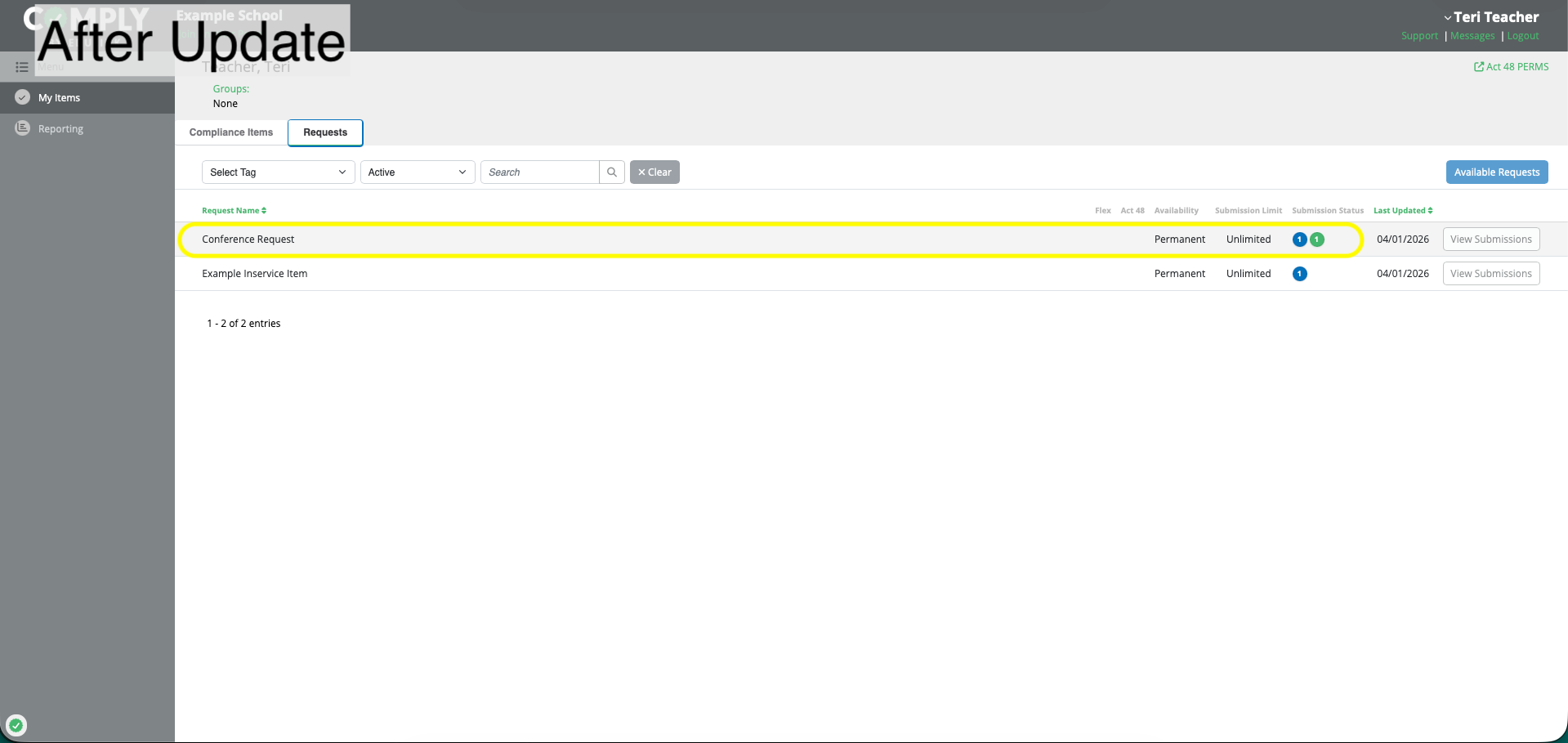
Request Submissions Are Now Grouped by Request Item
Request submissions made on the same request item are now grouped together on My Items > Requests Tab.
Navigation Changes - Supervisors and Administrators
Supervisors and administrators will see several navigation changes that help support ease of management on both a user-basis and item-basis.
Log-In Landing Page Update
When logging into Comply, you will now land on My Items (previously My Supervision Items for compliance item management).
My Managed Requests Are Now Separated from Personal Requests
When viewing My Items > Requests Tab, supervisors and administrators will now have request submissions they started on behalf of other users separated from their personal request submissions.
All Users' Progress Now Includes Requests
All Users' Progress is now available as a centralized place to review and manage both compliance items and request items for users.
Requests may also be submitted on behalf of a given user from this page.
Bulk Assign Now Lives Under All Users' Progress > Compliance Items
The bulk assign functionality, where multiple compliance items can be assigned to a particular user, is now located on All Users' Progress > Compliance Items.
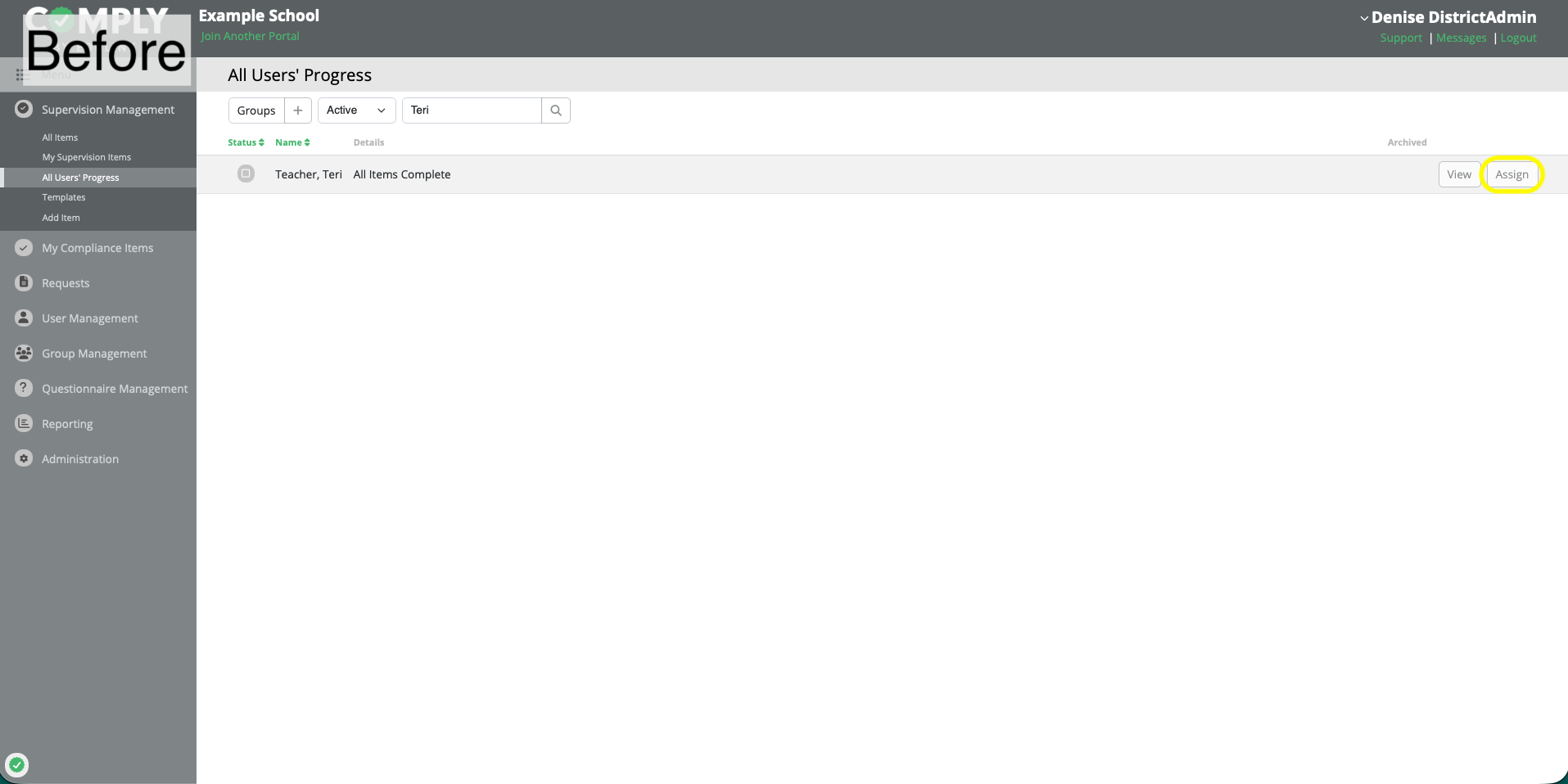
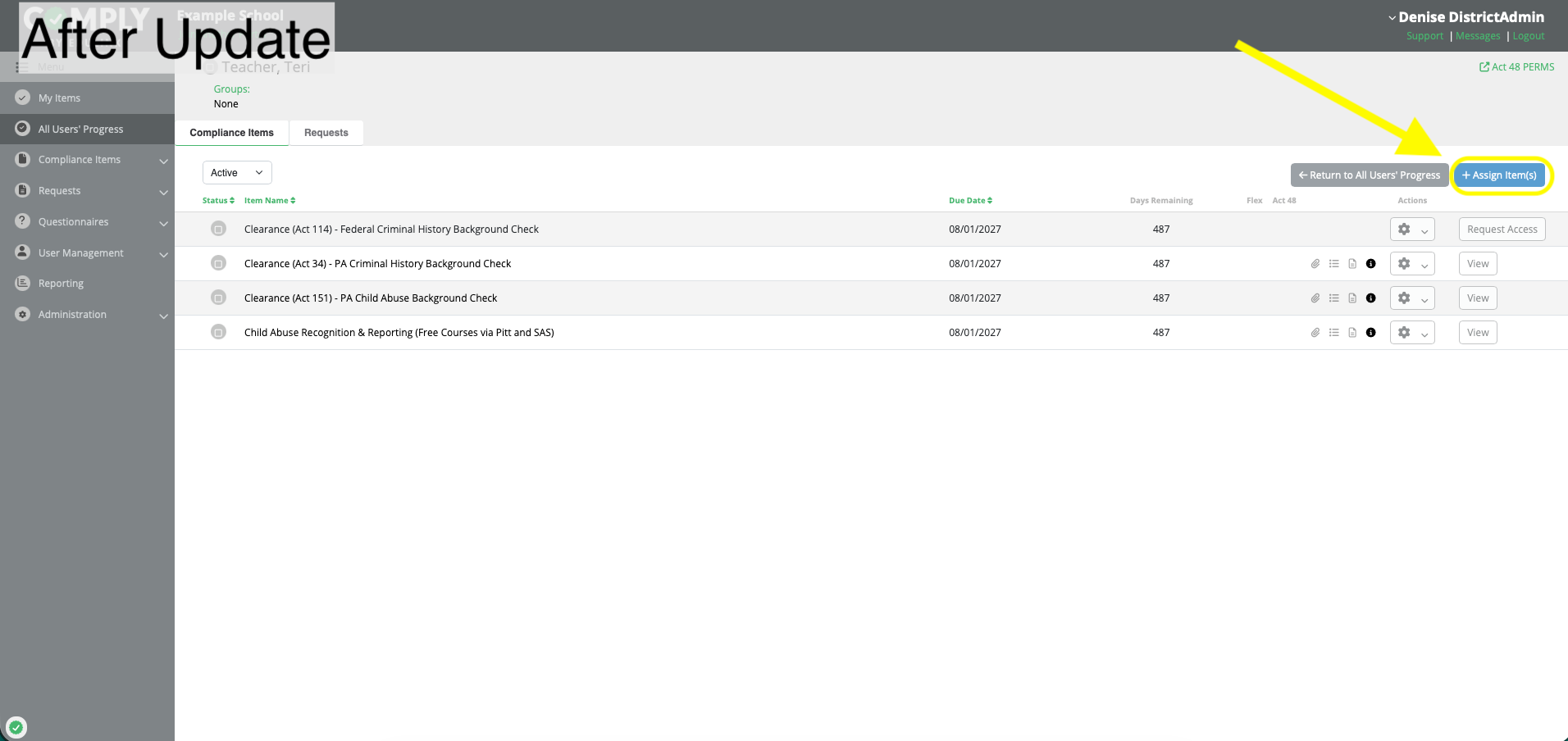
Supervision Management Is Now Compliance Items
The Supervision Management menu option has now been renamed to better match its current functionality: management of Compliance Items.
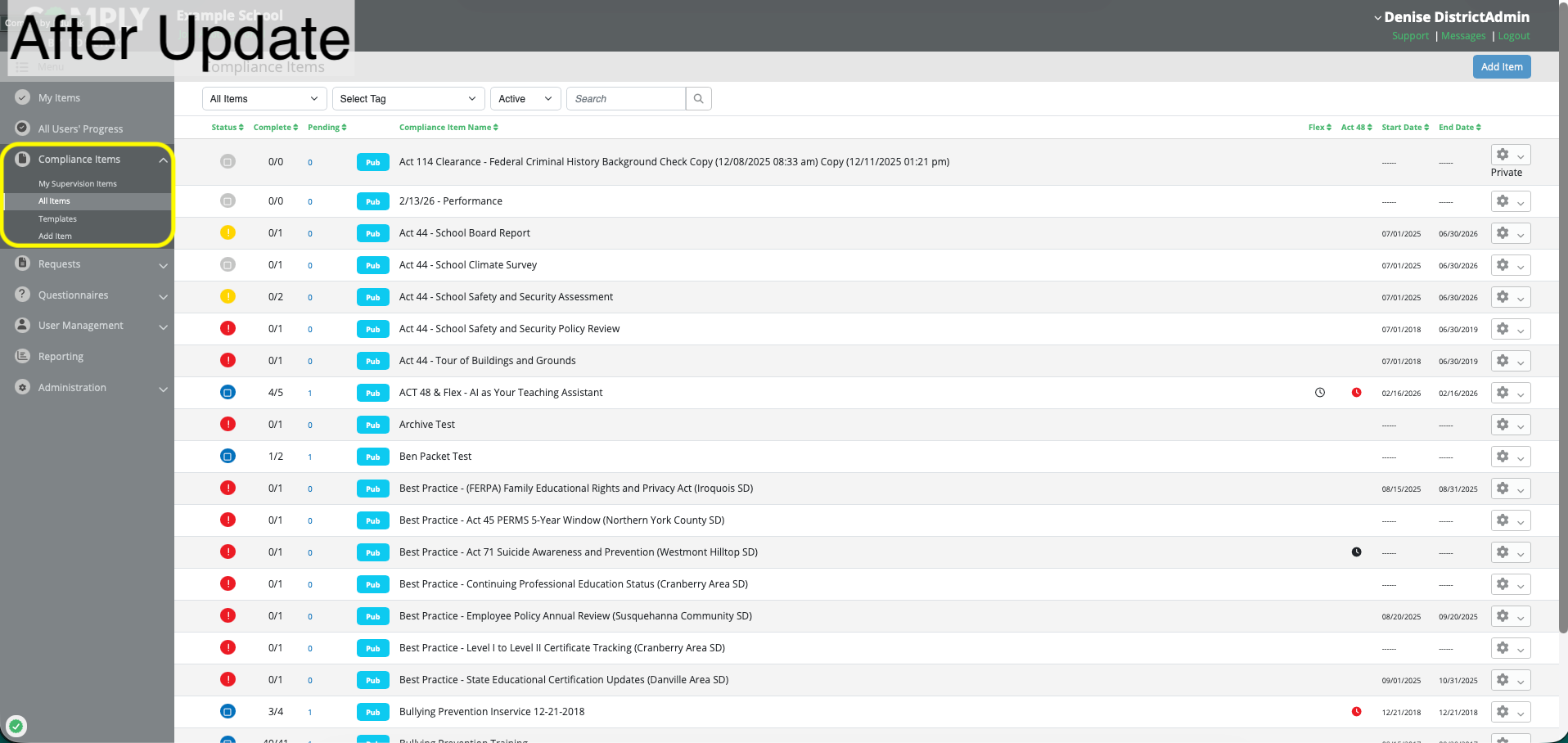
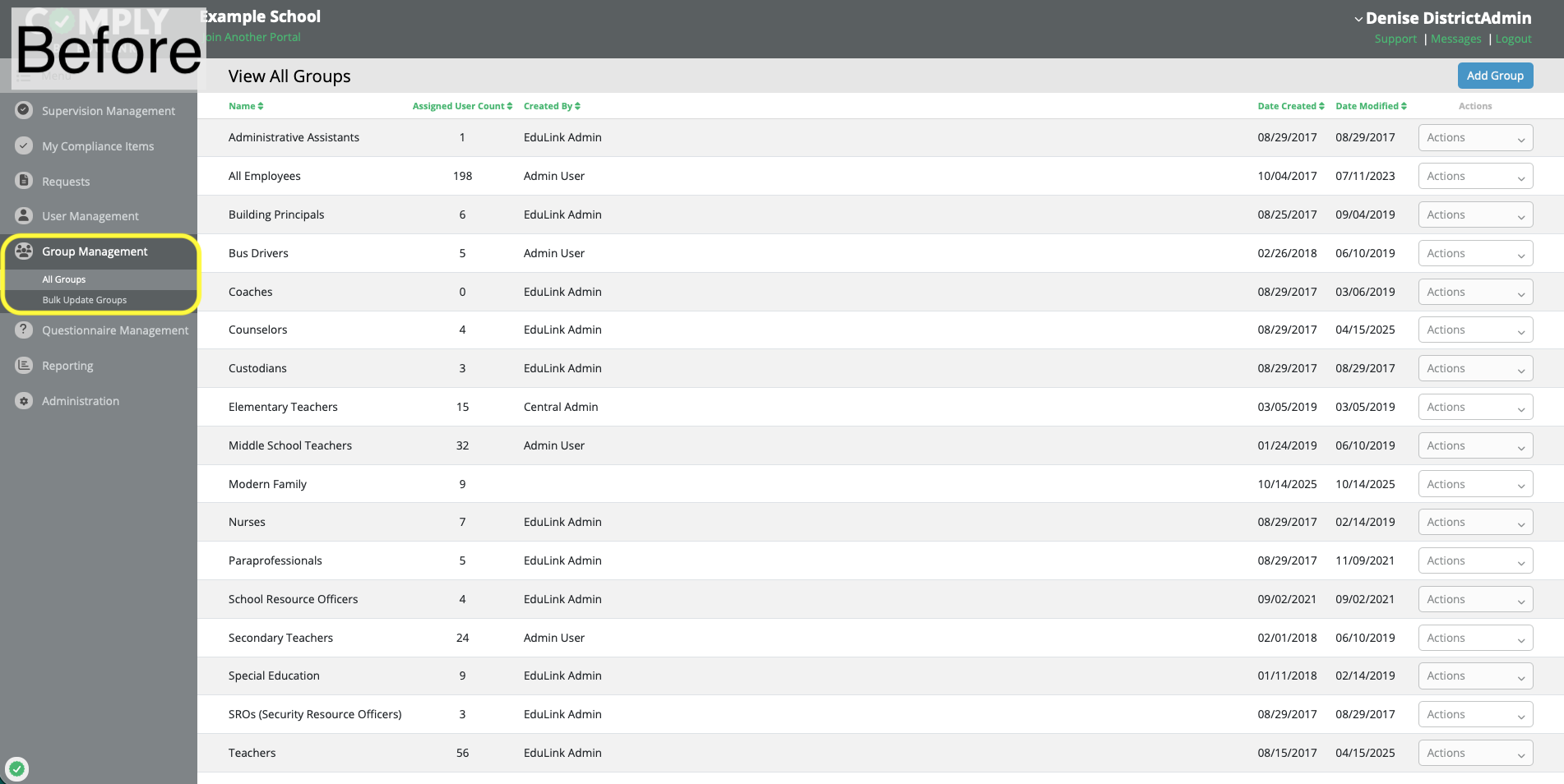
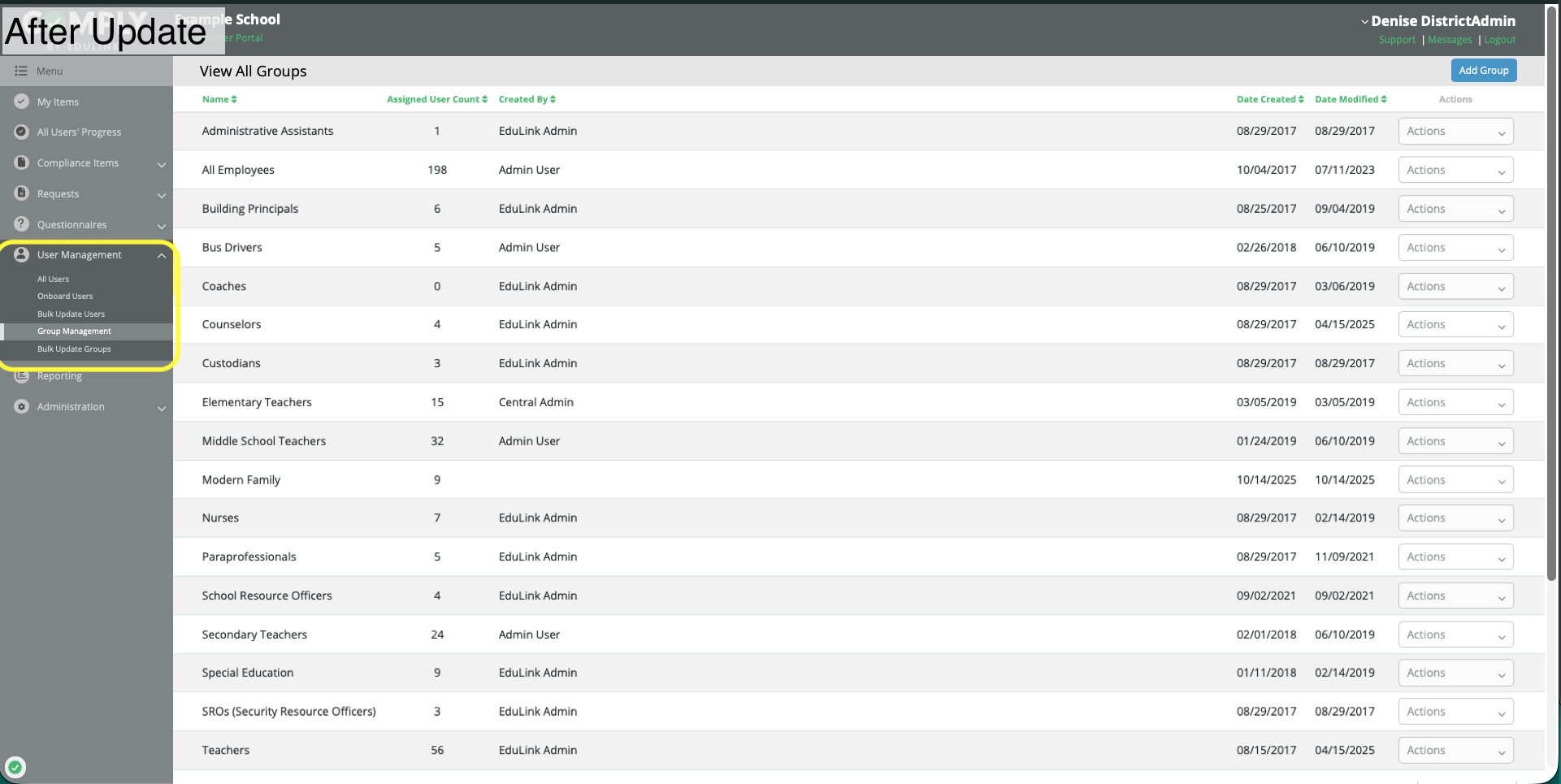
Group Management Is Now Under User Management
Group Management is now located underneath User Management.
Additional Navigation Updates
- Request pages now include return actions such as Return to (User's Name) and Return to (Request Name).
- Volunteer clients only: Volunteer Area management is now located under User Management.
Additional Enhancements
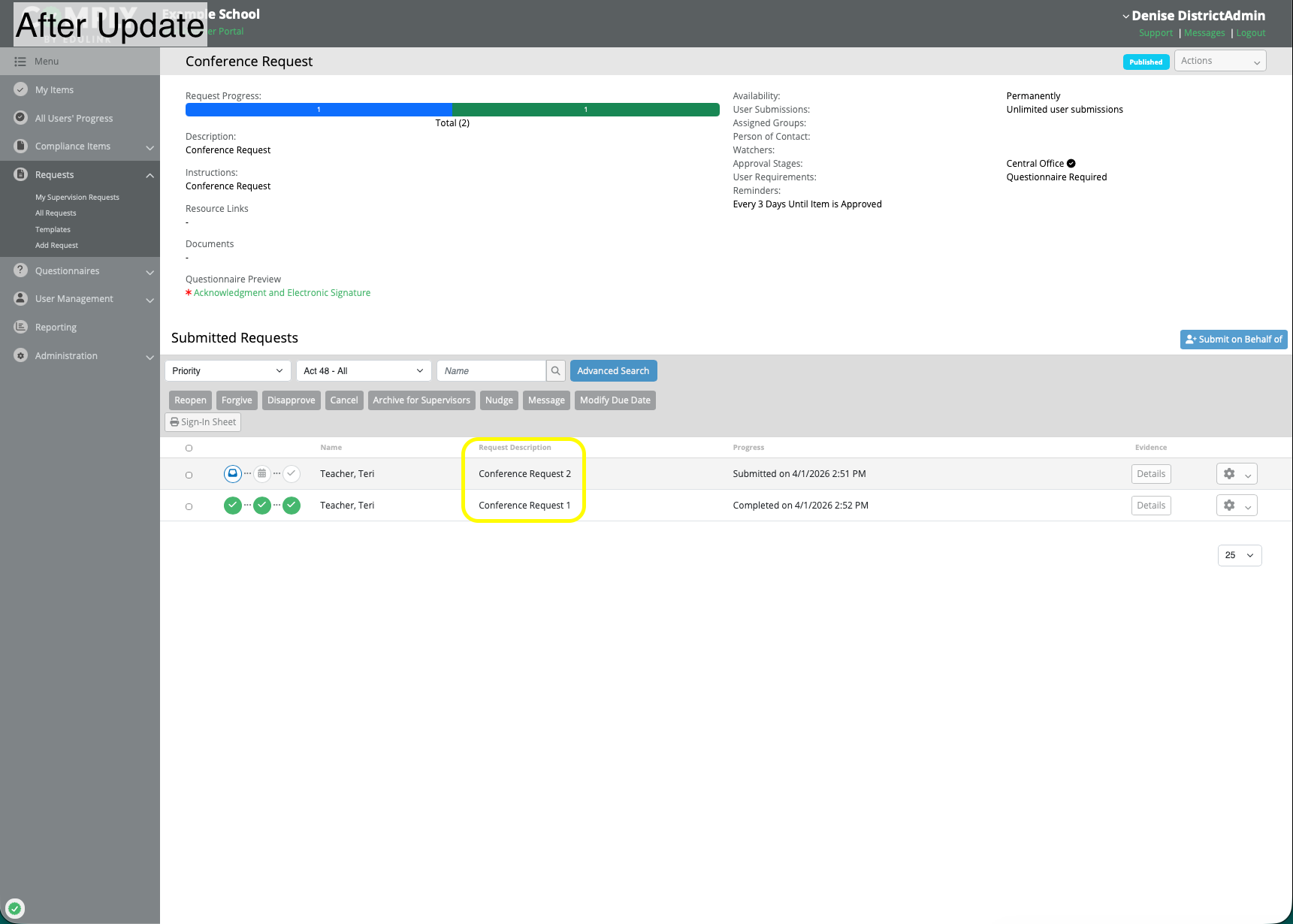
Request descriptions are now displayed on the Request Item > View page
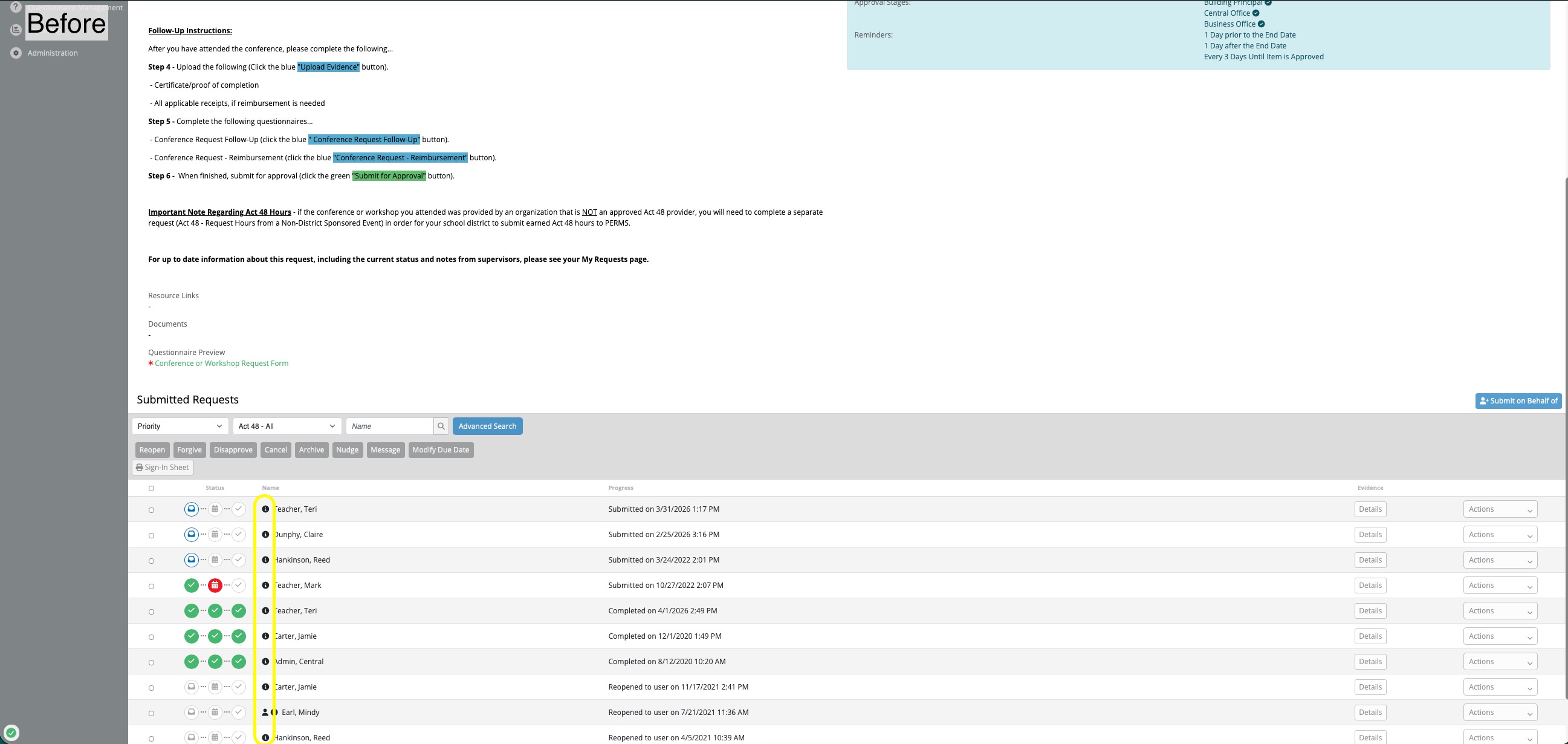
Previously, user submitted request descriptions were only displayed when hovering over the "I" icon, next to the user's name. This made discerning between multiple submissions by the same user difficult. Now, the request description is displayed in the table in it's own column.
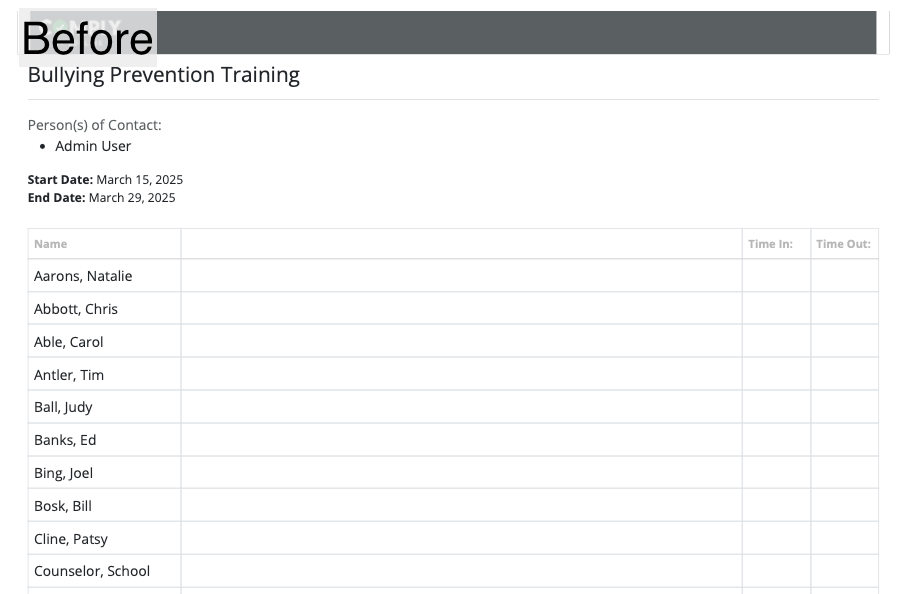
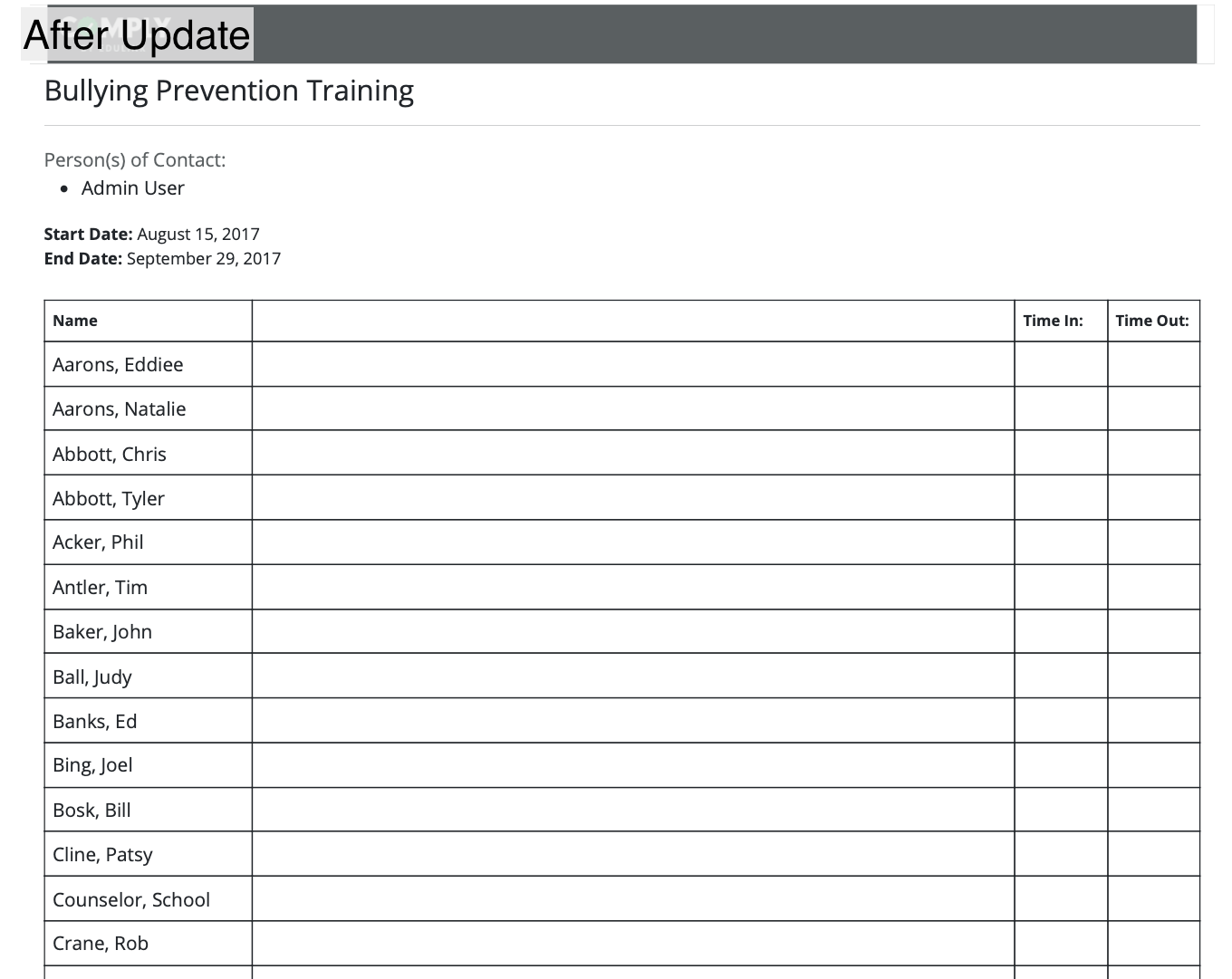
Sign-In Sheets printed files now have darkened lines