
Private Mode helps limit sensitive request and compliance item information to the administrators, supervisors, and limited supervisors who should have access to it.
When an item is private, supervisors who are connected to the item can continue to work with it based on their normal permissions. Supervisors who are not connected to the item may see limited information and fewer available actions.
Private Mode is useful when an item may include sensitive details, attachments, questionnaire responses, evidence, notes, or other information that should only be available to appropriate supervisors.
Who Can Access a Private Item
Administrators, supervisors, and limited supervisors may have access to private items based on their normal Comply permissions and their relationship to the item.
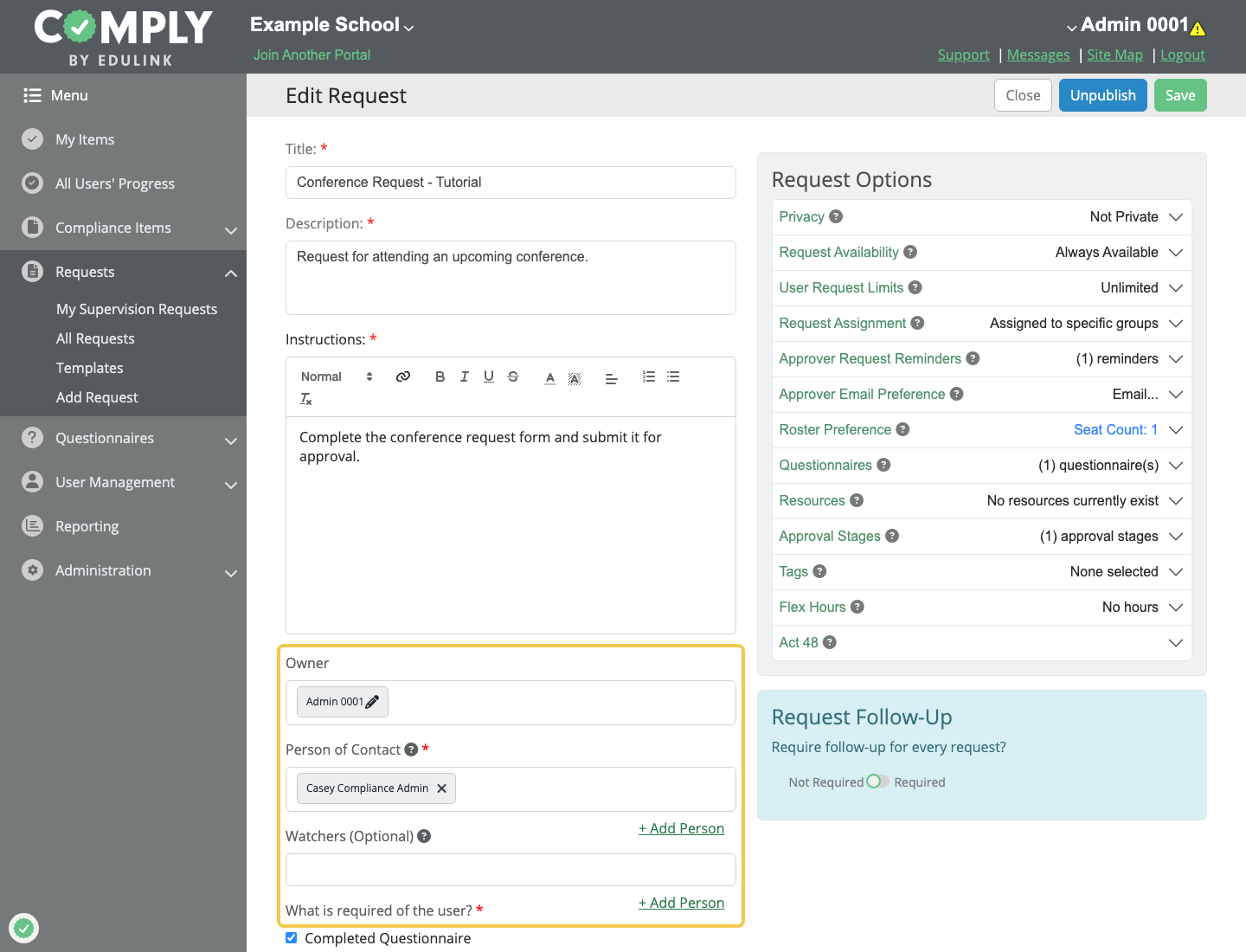
A supervisor may have full access to a private item when they are connected to the item in one of the following ways:
- Owner
- Person of Contact
- Watcher
- Approver
These roles can be configured from the item's edit screen.
What Supervisors With Limited Access May See
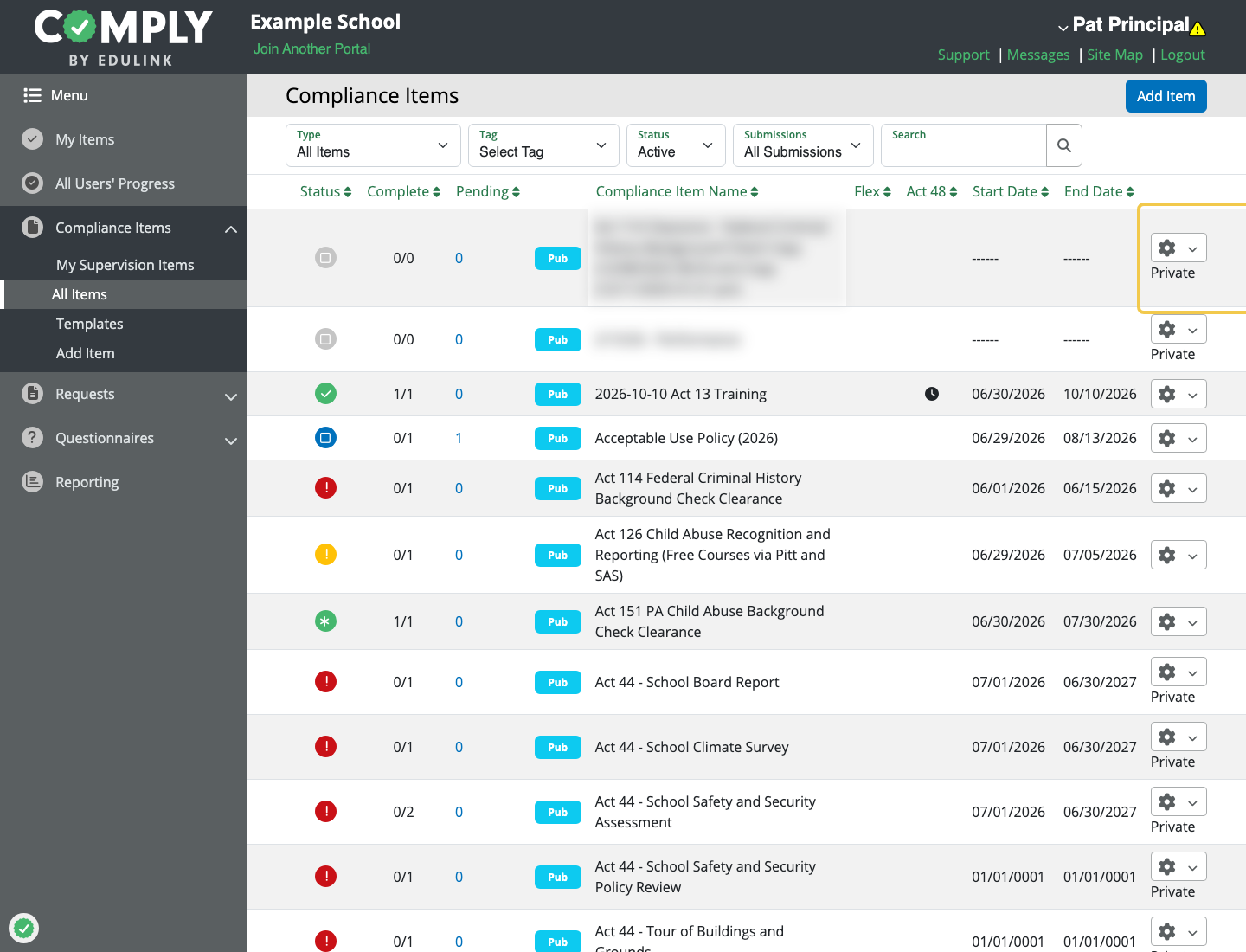
Supervisors with limited access may still see that a private item exists in certain areas of Comply, but the item is identified as private and sensitive details are hidden.
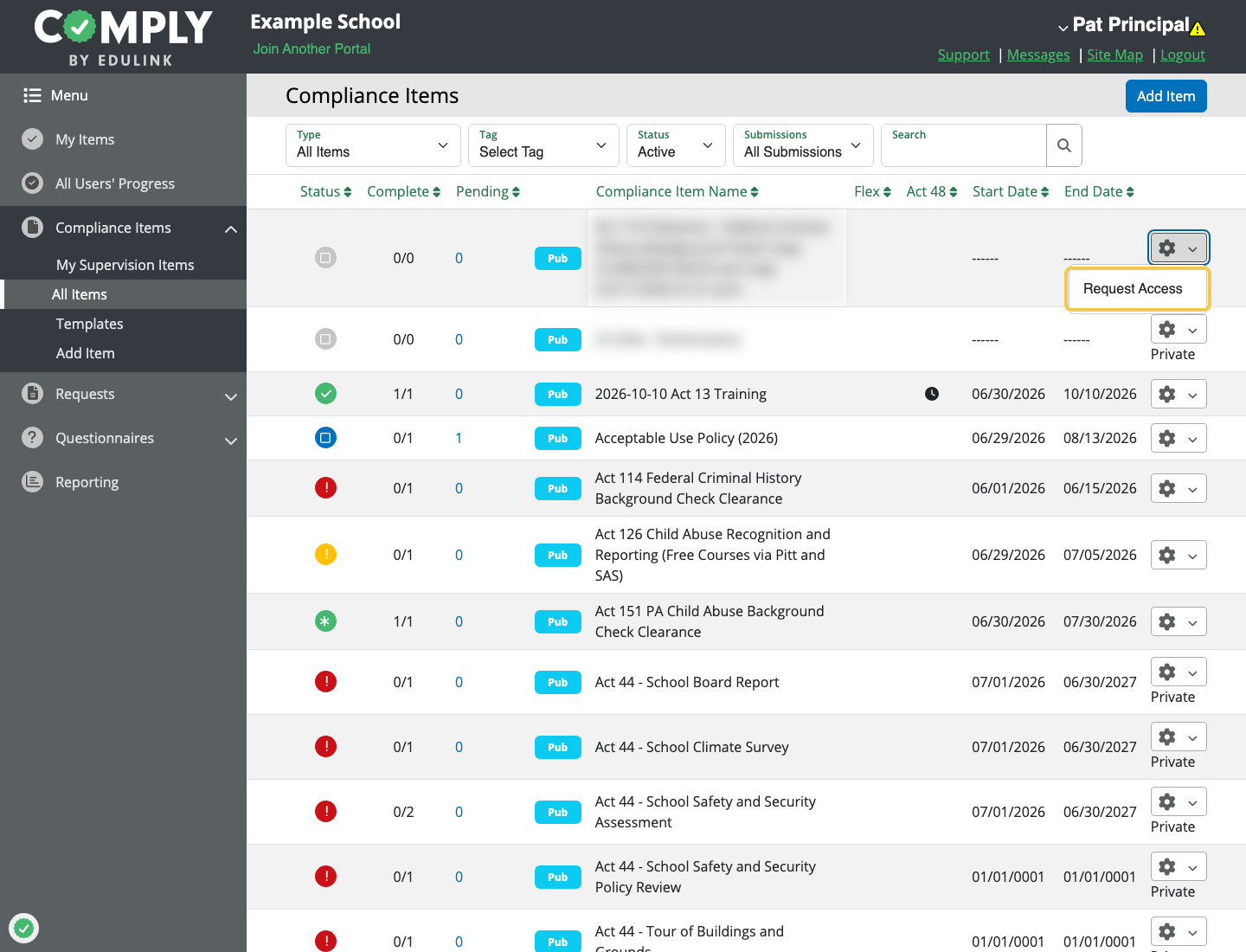
Depending on where the supervisor is viewing the item, they may be able to request access to the private item.
For private request and compliance items, supervisors with limited access will not be able to view sensitive details such as questionnaire entries, evidence, notes, attachments, or the item description.
Making an Item Private
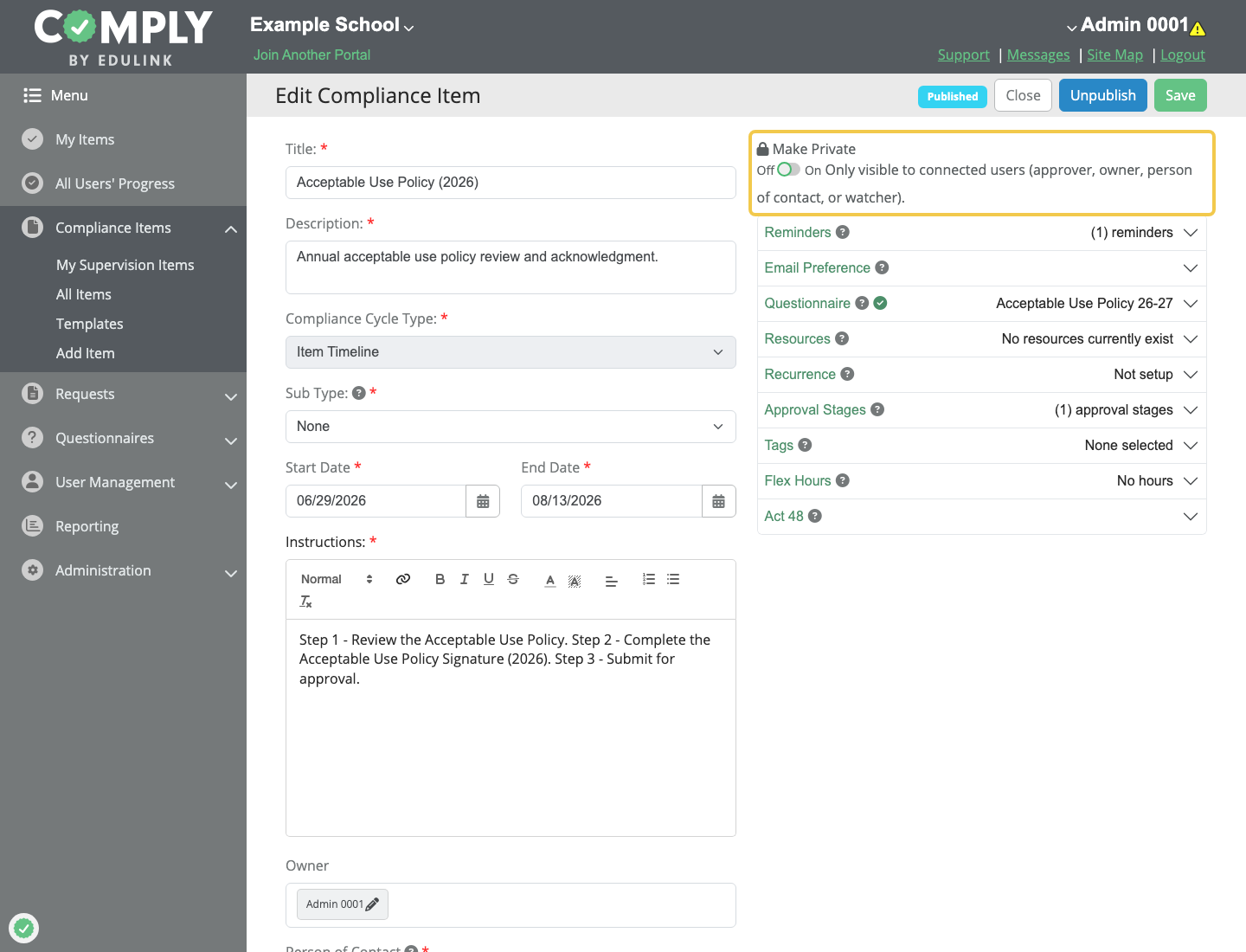
Private Mode can be enabled while creating or editing a request item or compliance item.
To make an item private:
- From the request items table or compliance items table, open the item
- Select the edit option for the item
- Turn on the
Privatesetting - Verify the correct supervisors are connected to the item
- Save the item
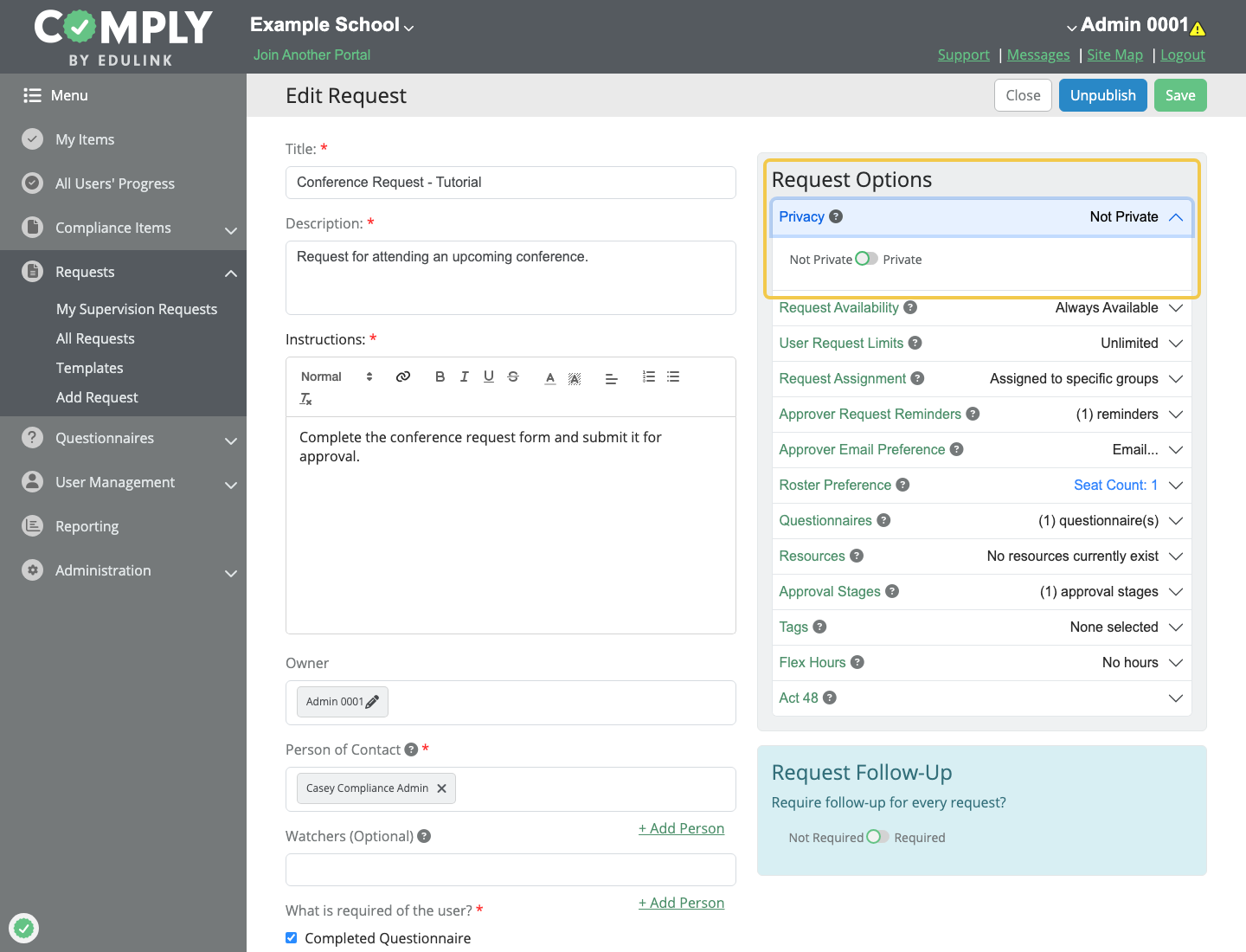
After the item is saved, sensitive item information is limited to supervisors connected to the item.